Feels like magic.
It’s your band.

Turn on listening. HAB hears your music on your computer and separates the instruments. Mute your part. Play along.

Try it free. No account. No card.

Play guitar or bass? Meet your new practice partner ↗

No subscription.

$24 once. Yours for life.

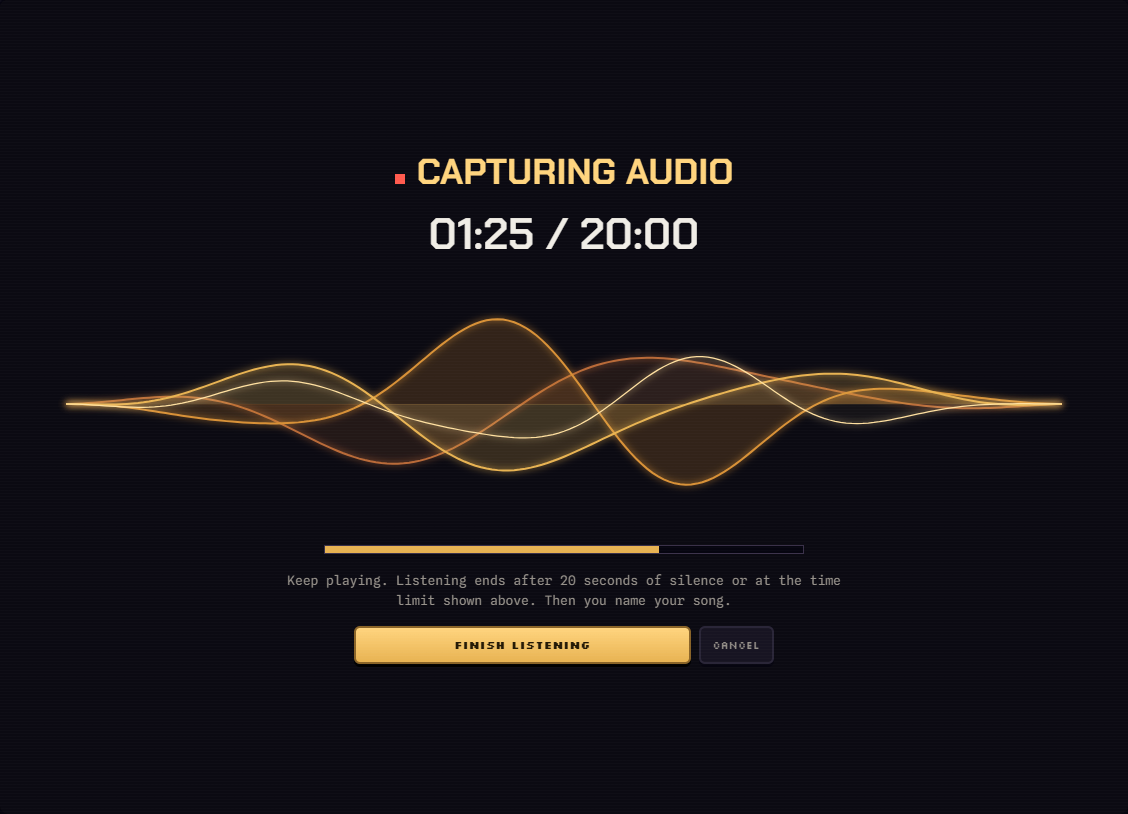
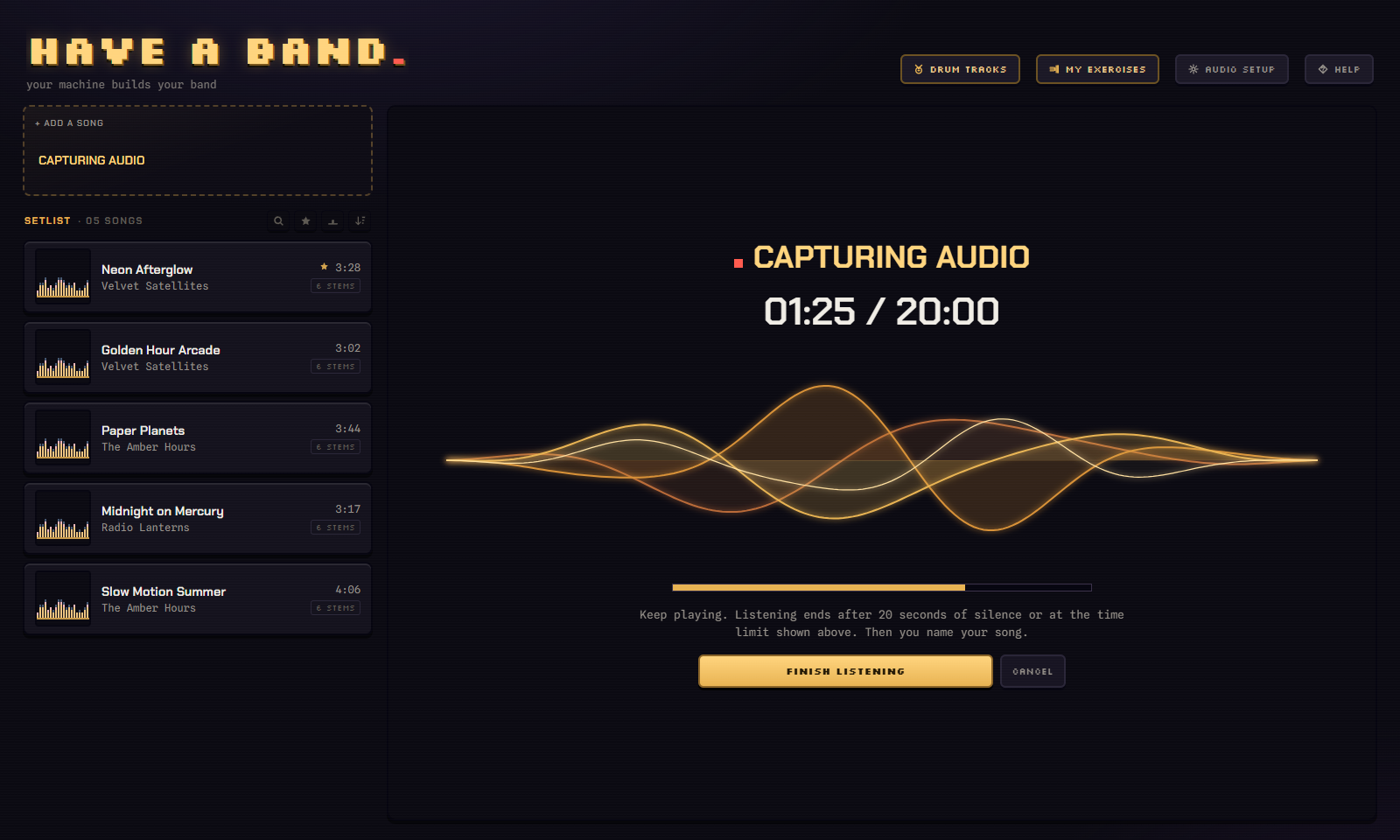
The current HAB app capturing computer audio, with flowing golden waves and a live level display

From the app you download. Click through the three moments, then open any image to look closer.

Demonstration session with fictional songs and simulated audio data.

Choose your version and see its features on the download page.

Your audio stays on your computer. Your part is up to you.

FEATURED ON PRODUCT HUNT 7-DAY MONEY-BACK RUNS 100% ON YOUR MACHINE MADE BY MUSICIANS

Your music.
Your place in the band.

Let HAB listen.

HAB capturing computer audio, with sound waves and a recording timer

Start listening, then play your music. HAB captures the sound you hear on your computer.

Give it a name.

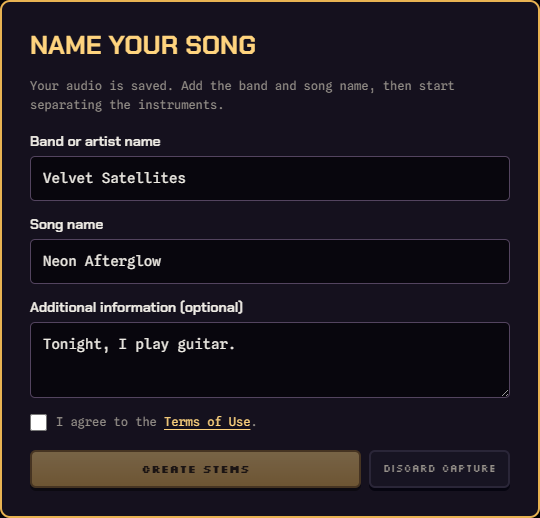
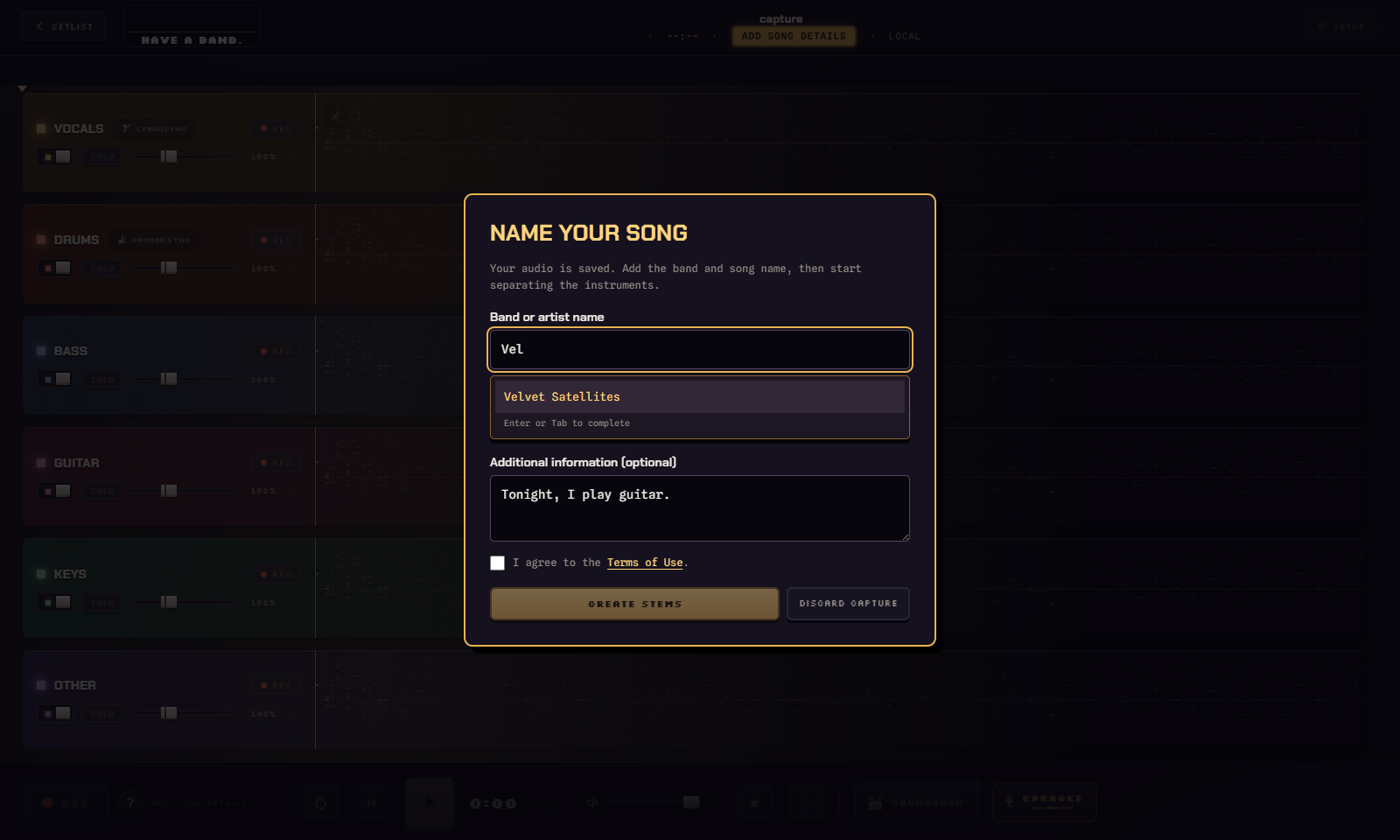
The artist and song name fields in HAB, filled with a demonstration song

Add the artist and song. Confirm, and HAB separates the six instruments on your machine.

Take your place.

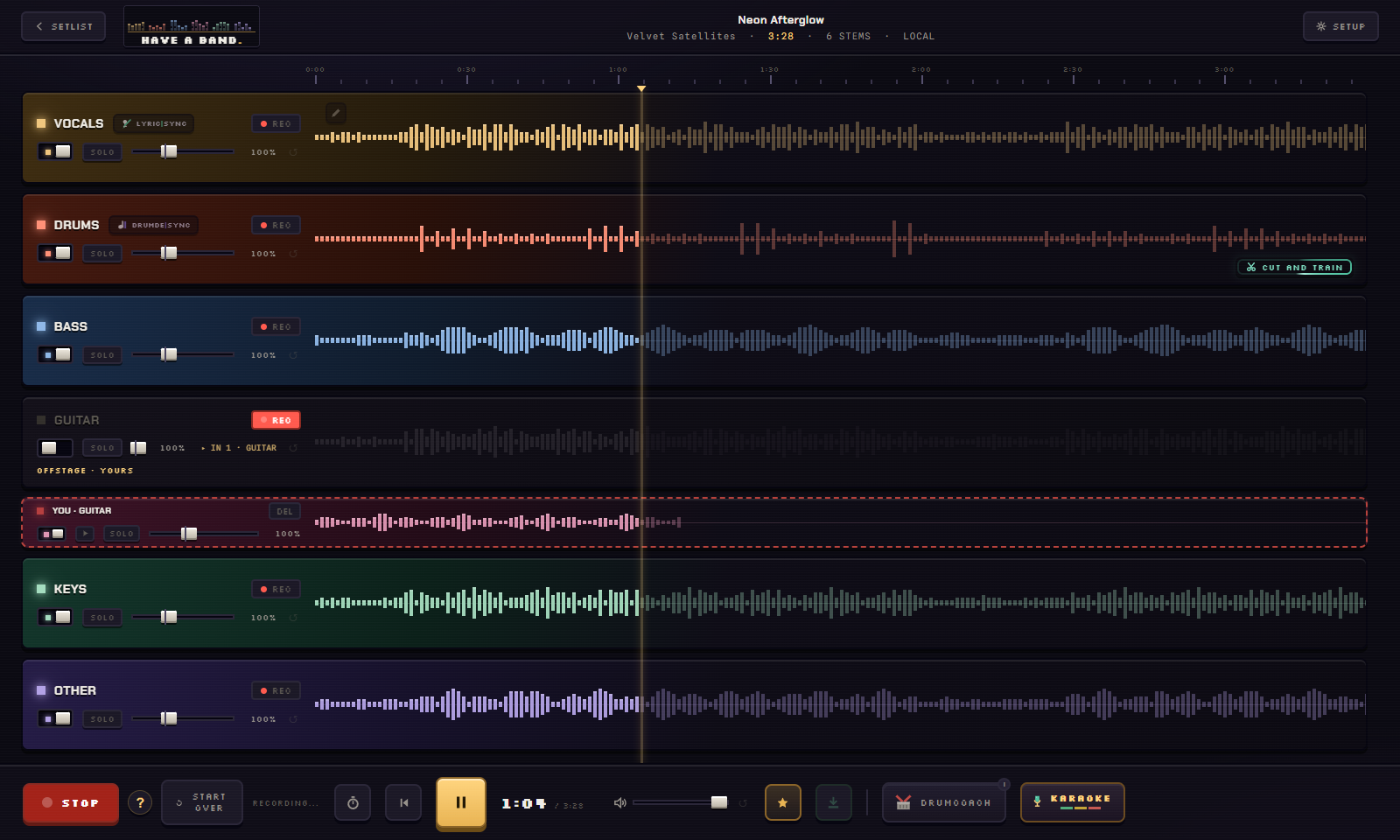
The original guitar muted in HAB, with the player's own guitar take beside the band

Mute your instrument. Play with the band, then record a take that is all you.

Real app screens with demonstration data. Tap to look closer.

From listening to playing, your audio stays on your computer. Your privacy, explained.

A few tips for your first song

Let your song play

Capture needs at least 20 seconds, with a 20-minute limit per song. Let the song or the part you want finish, then end the capture. Keep the volume steady and pause notifications. After 20 seconds of silence, listening ends automatically.

Then let HAB work

Separation starts after you confirm the song details. Saved artists appear as you type. Progress is real; processing time depends on the music and your computer. Your setlist, mix and takes are saved for next time.

Computer-audio capture needs Windows 11. You can also add an audio file. See the download page for versions and requirements.

HEAR IT FOR YOURSELF

Hear the space
you could step into.

Press play. Switch off the guitar. That space is yours.

GLASS HORIZON · HAB ORIGINAL
Real song. Real separated instruments.
Make your own mix with the sliders below.
VOCALS
100%
DRUMS
100%
BASS
100%
GUITAR
100%
KEYS
100%
THE REST
100%
About this demo

Glass Horizon is a song we made, separated by the same engine in HAB. The audio loads only when you press play. Drag a slider to change an instrument's volume, use SOLO to hear it alone, or tap its percentage to reset it.

GUITAR · ACOUSTIC · BASS

Your riff.
Your way.

The band is playing. Now put your part on the page. Import a score or build your own tab, change a note and practice it with your music.

Guitar · staff + tabOpen the full app view ↗
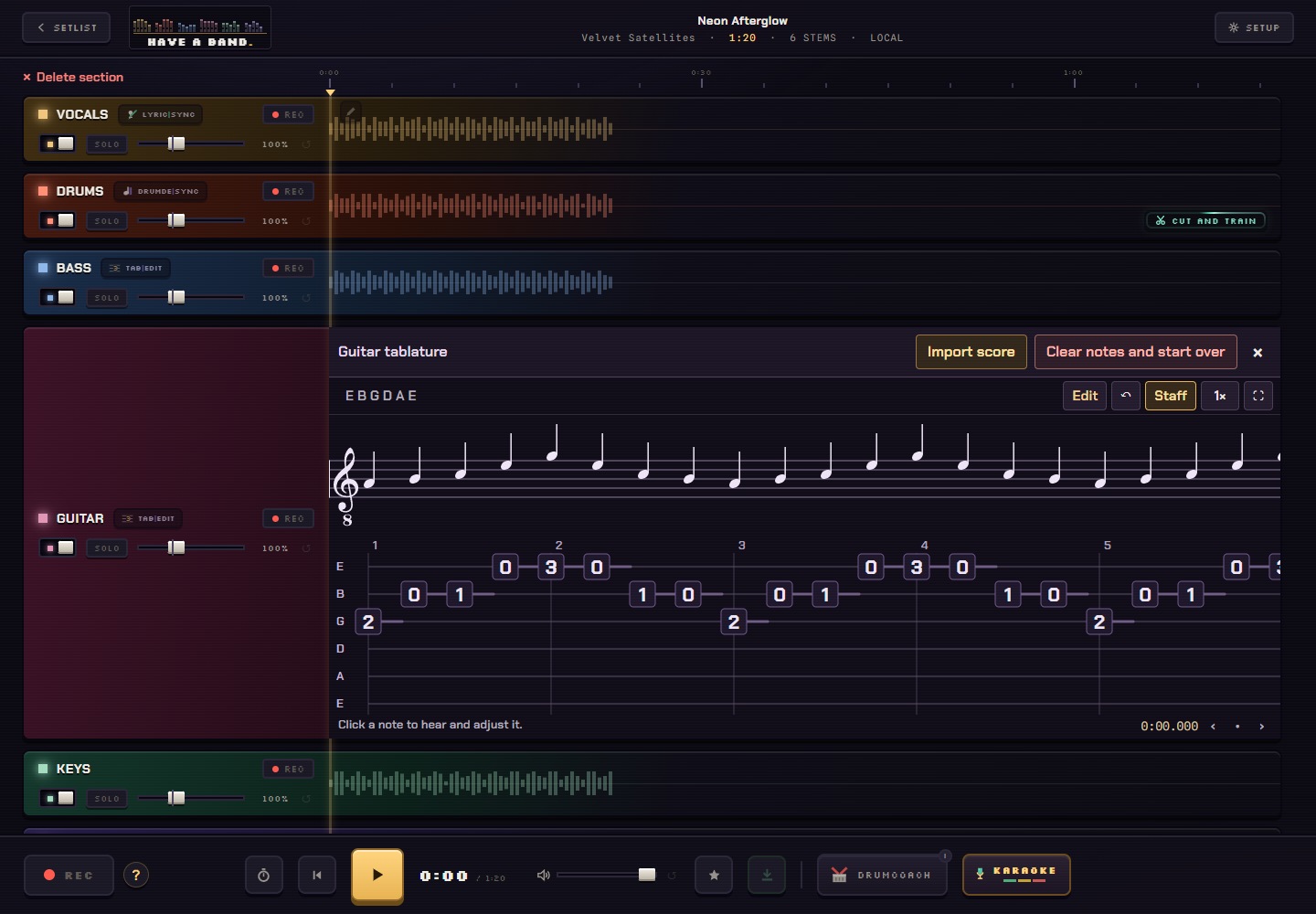
Guitar notation and six-string tablature together in HAB, with editable notes and import, tuning and staff controls

Make it yours. Note by note.

Click a note to hear it. Change its fret, string or timing. Add a new one. Your version stays with the song.

Already have a score? Bring it.

Import Guitar Pro, MusicXML or MIDI. Choose the instrument, line it up with your song and keep editing.

Bass · your practice session

That tricky bit?
It’s your next warm-up.

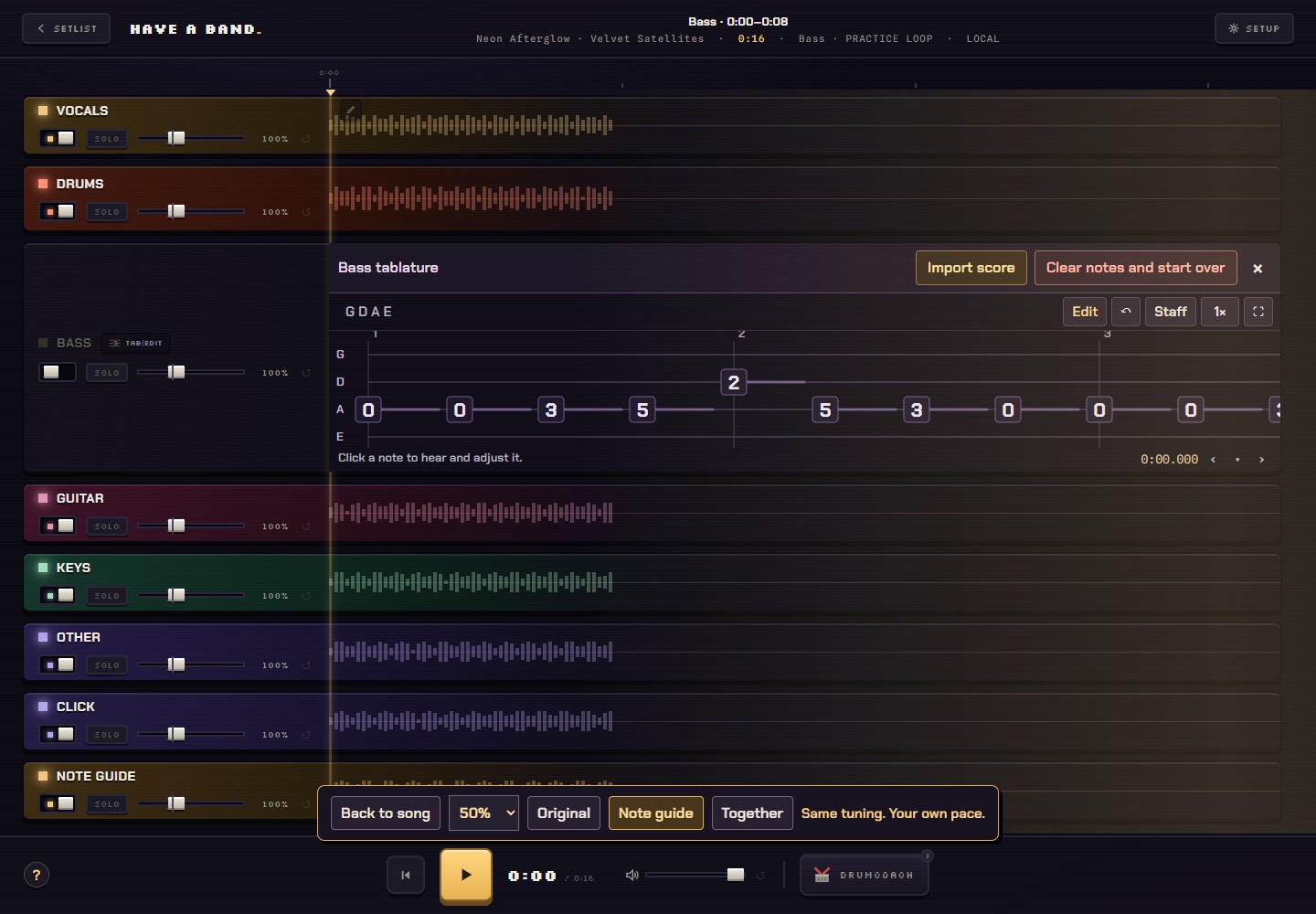
Turn a passage into a practice loop. Slow it down without changing pitch. Hear the original, the note guide, or both. Then let your fingers take over.

50% · 75% · your own pace

The HAB bass practice session with four-string tablature, half-speed playback and original or note-guide listening controls
PICK YOUR INSTRUMENT

SIX CHAIRS ON STAGE. WHICH ONE IS YOURS?

Pick what you play. The band covers the rest. Bring a friend and make room for two.

CLICK THE ONES YOU PLAY
VOCALS
ON STAGE
DRUMS
ON STAGE
BASS
ON STAGE
GUITAR
ON STAGE
KEYS
ON STAGE
THE REST
ON STAGE

ALONE, BUT NEVER BY YOURSELF

Loop the same four bars twenty times. Nobody sighs, nobody checks their phone, nobody has to leave at ten.

BRING A BANDMATE. OR THREE.

Two of you? Switch off two chairs. The band covers the rest, and for once everybody is free on the same night.

FOR DRUMMERS

THE DRUMMER GETS A WHOLE SCHOOL.

Follow the notes. Find your groove. See yourself getting tighter.

FREE, EVEN AFTER THE TRIAL

THE DRUM TRACKS

Grooves and rudiments on a real staff. Build your vocabulary and climb the speed ladder as you improve.

THE COACH

Connect your e-drums over USB MIDI. Get feedback on every hit and track your accuracy from one run to the next.

DRUMDE|SYNC

Turn separated drums into an editable score on your computer. Loop a passage and practise at your pace. Included in HAB.

FOR SINGERS

KARAOKE NIGHT, WITH THE ORIGINAL BAND.

Synced lyrics, your voice up front. Practice for the stage or sing just for the fun of it.

THE WORDS KEEP TIME WITH YOU

Follow the line that lights up with your music, with the next already in view. Edit the words your way.

YOUR VOICE ON TOP

Keep the original vocal as a guide, then lower it. Record your voice and hear how far you have come.

FOR YOUR INSTRUMENT

GET INSIDE THE RECORD, NOTE BY NOTE.

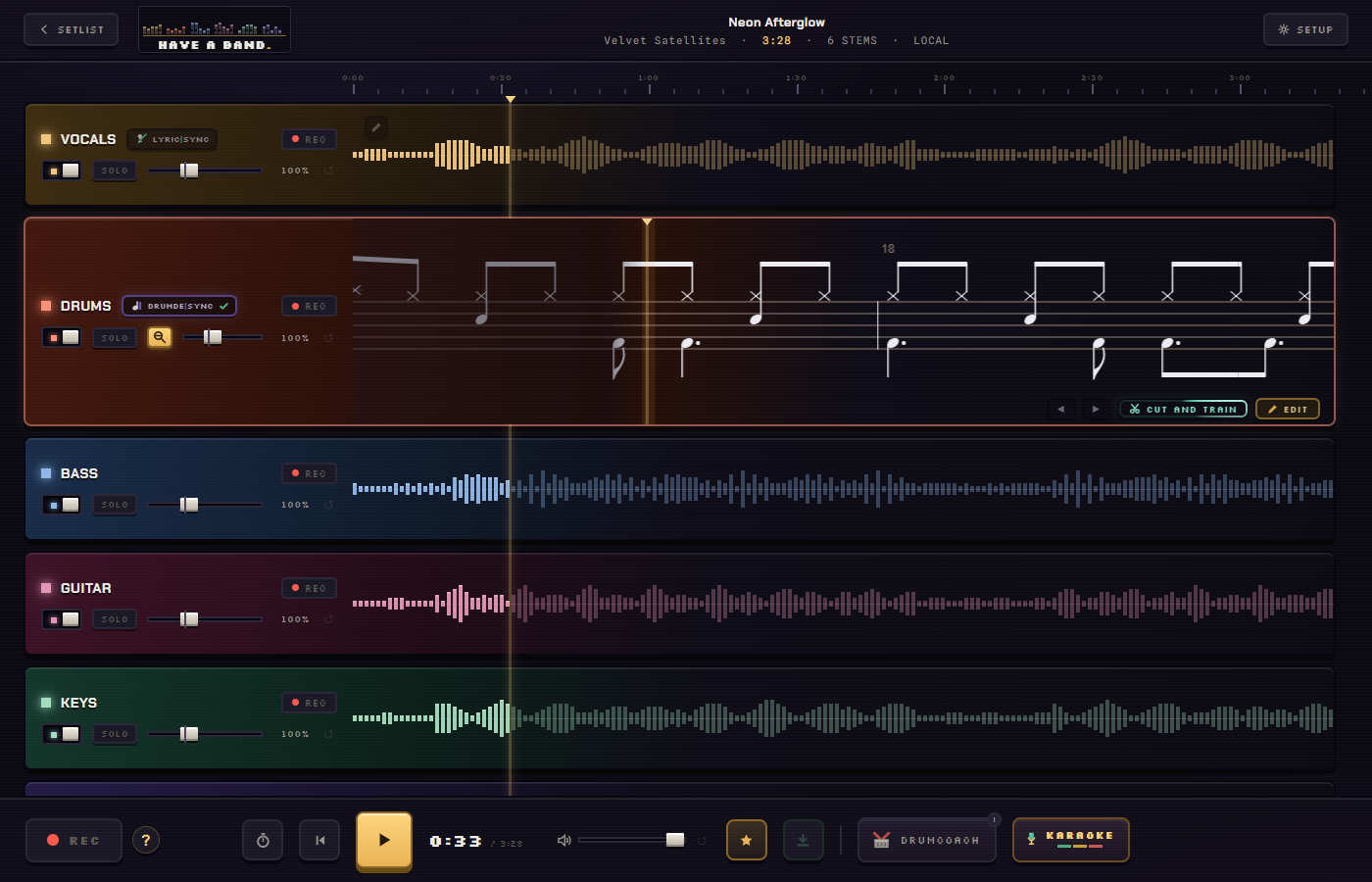
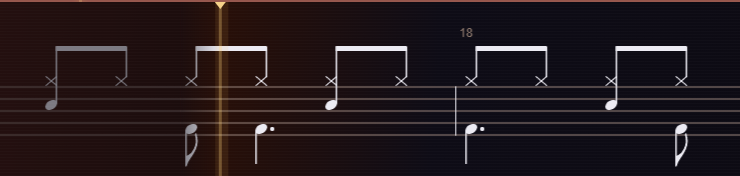
The current HAB app with drum notation open alongside the vocal, bass, guitar and keyboard tracks A closer look at the drum staff, with kick, snare and hi-hat notes and the playback marker
Drum notation open in HAB. Follow the notes while your music plays. Demonstration with a fictional song; tap the image to see the full app.

Isolate the part you want to learn. Loop the tricky bars, or let your student hear exactly how they are played.

LOUDER THAN THE RECORD

Faders don't stop at the original level: they go to 300%. Push the part you're learning three times louder and every ghost note comes out of hiding.

FADE YOURSELF IN

Still learning your part? Keep the original playing quietly underneath as a guide, and pull it lower as you get it, until the part is all you.

WHAT YOU GET

BUILT FOR PLAYING, NOT FOR PRODUCING.

YOUR AUDIO STAYS LOCAL

Separate and play on your computer. Your audio stays with you.

▮▯▮

EVERY MIX IS YOURS

Volume, solo and mute for every instrument. Rehearse your way.

YOURS FOR LIFE

One payment. No subscription, no credits, no monthly anything. Your songs stay yours, on your disk.

LEAVE WITH WHAT YOU PLAYED

Export your own takes as mp3. The separated instruments stay in HAB.

TAKES THAT BEHAVE

Listen back, keep your best take or try again. The band stays in place.

YOUR OWN SETLIST

Search, star and reopen your songs with your mix, lyrics and takes saved.

PRICING

ONE PAYMENT. A BAND FOR LIFE.

TRY IT YOURSELF
FREE
your first rehearsal starts here
  • Try it with your own music
  • Separate the instruments and play along
  • No account or card
DOWNLOAD
FULL VERSION · LIFETIME
$24
one payment, yours forever
  • Unlimited songs
  • Guitar and bass tabs: import, edit and practice
  • Works on 2 of your computers
  • Every future update included
  • 7-day money-back guarantee
GET THE FULL VERSION ▸
Secure checkout by Stripe. Your license key arrives on screen and by email.

Choose your version on the download page. Features and free trial limits vary by version.

IS IT A SUBSCRIPTION?

No. You pay once and the app is yours for life, updates included. On the current Windows version, try 20 minutes of songs in total, across computer-audio captures and files. There is no countdown in days. Once you use that allowance, a license unlocks new songs; you can keep playing and recording the songs already in your setlist.

DOES MY AUDIO GO TO THE CLOUD?

Your audio is captured, separated and stored on your computer. HAB does not upload it or publish your songs. Lyrics lookup and translation use online services and may send song information or lyrics text. Read our Privacy Policy for the full picture.

WHAT DO I NEED TO RUN IT?

A Windows PC: computer-audio capture needs Windows 11; Windows 10 uses audio files. The Mac version is being updated and will return soon. The app installs its local processing engine on first setup. No special graphics card is needed. One license covers two of your computers.

CAN I USE IT FOR KARAOKE?

Yes. Follow the synced lyrics with your music, practice your voice or have fun with friends. Keep the original vocal as a quiet guide, mute it when you feel ready, and record your own take.

CAN I PRACTICE GUITAR AND BASS TOO?

Yes. Create a tab or import Guitar Pro, MusicXML or MIDI, edit the notes and follow them with your music. Turn a passage into a saved practice session, slow it down without changing pitch and listen to the note guide. Guitar and bass tabs are not automatically transcribed from audio in this version.

CAN I PRACTICE DRUMS WITH IT?

Yes. Mute the drums and play with the band, follow editable drum notation generated from the recording, or work through built-in practice tracks, from first grooves to fast hands. Connect an e-drum kit over USB MIDI and the Coach compares your hits with the notation.

CAN I RECORD MYSELF WITH THE BAND?

Yes. Pick any input from your audio interface, arm the track and record your takes on top of the song, aligned with what you heard. Your takes live next to the original instrument, so you can mute one and listen to the other, and they stay with the song every time you open it.

WHY NOT JUST USE A STEM SPLITTER WEBSITE?

The separated song is only the start. Here it opens on a stage with instrument faders, synced lyrics when available, drum notation, editable guitar and bass tabs, and a record button. Make room for your part, practice it and play. Audio processing happens on your own computer, and the full version is one payment.

CAN I GET MY RECORDING OUT OF THE APP?

Yes, as an mp3. You pick which of your takes go in the file, confirm the rights to the music and to the recording are yours, and save it wherever you want. What the app separated out of the song stays in the app: this is a place to play, not a way to pull instrument tracks out of somebody else's record.

WHY DOES WINDOWS WARN ME WHEN I INSTALL IT?

The Windows installer is digitally signed. A new download can still trigger reputation warnings in some browsers or Windows settings. Check that the publisher is the expected one before proceeding. The download page explains the checks and publishes the release fingerprint.
RECORDING

PLUG IN WHAT YOU PLAY. THE BAND RECORDS YOU FOR REAL.

Interfaces, drivers, inputs, plugins: the part nobody makes easy. Here is where it stands.

E-DRUMS, YOUR OWN PLUGIN

Your pads trigger it inside the app. What you hear is what gets recorded.

SOUNDCHECK, NOT SETTINGS

Make some noise. The channel that hears you lights up. Click it. Done.

IT SPEAKS YOUR INTERFACE'S LANGUAGE

ASIO on Windows, CoreAudio on Mac. You hear yourself with no echo and no lag.

EVERY RIG IS DIFFERENT. WHEN YOURS FIGHTS BACK, WE WANT TO KNOW.

Some rigs need the app to learn a new trick. The plugin host and the soundcheck both exist because a musician asked. If yours won't record right, write us: we read everything, and we build from it.

The next song is your rehearsal.

Try it free. One payment when you want more. 7-day money-back guarantee.